
Keyboard
Use your iPhone as a Mac keyboard
Type or dictate on the iPhone. The words land on the Mac.
In short
To type on your Mac from your iPhone, you need an app on both. Glasspad is a free, open source one: in its Keyboard mode, what you type or dictate on the iPhone lands wherever the cursor is on your Mac, over Wi-Fi. It has Control, Option, Command and Shift, the usual shortcuts, arrows, and F1 to F12, and it works with any Mac keyboard layout.
Glasspad is free and open source (MIT). It works with a Mac on macOS 14 or later or a PC on Windows 10 or 11, 64-bit, and an iPhone on iOS 18 or later or an Android phone on Android 10 or later, on the same Wi-Fi.
What you get
Type anywhere
Text lands wherever the cursor is on the Mac.
Dictate
Tap the microphone, speak, and the words are typed on the Mac.
Every key you need
Control, Option, Command, Shift, shortcuts, arrows, and Fn for F1 to F12.
Send a long text
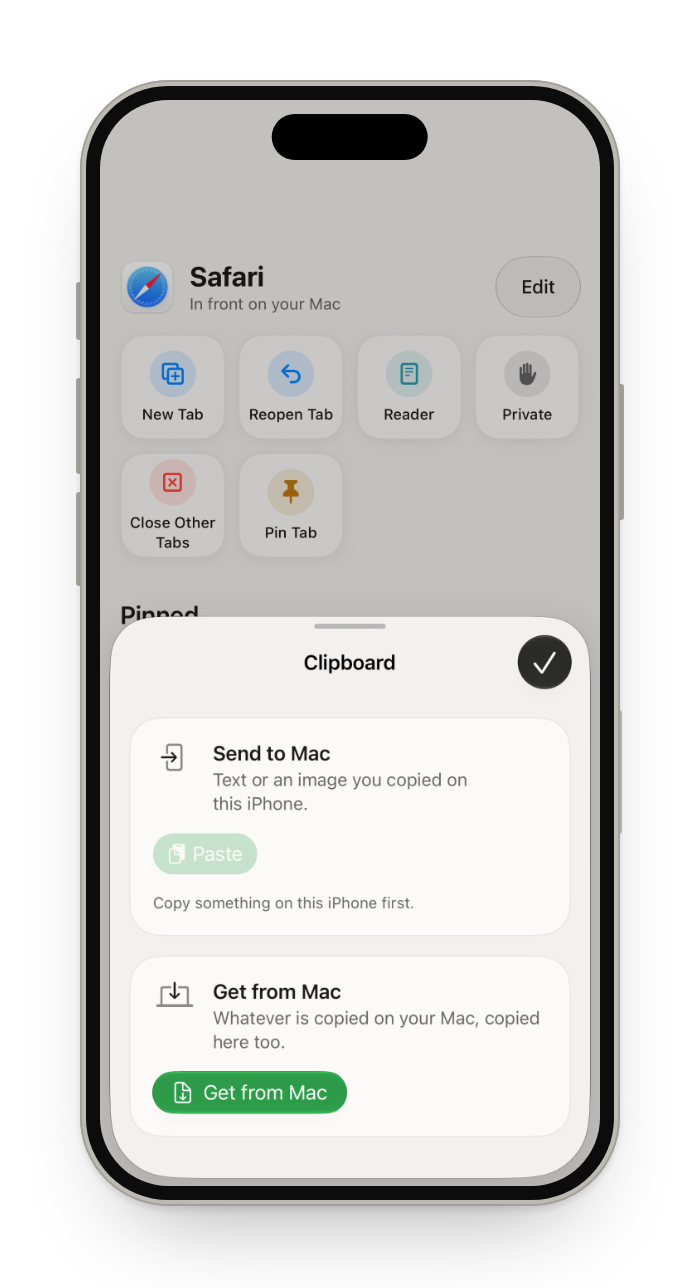
Clipboard, at the end of the shortcut row, sends text or an image both ways.
How it works
Open Keyboard
Tap the mode button at the top of the screen, then Keyboard.
Type or dictate
Hold a key to repeat it, or tap the microphone and speak.
Keep the trackpad close
The Type layout puts the keyboard beside the trackpad.
Questions
Can I dictate on my Mac with my iPhone?
Yes. In Keyboard, tap the microphone on the iPhone keyboard and speak. The words are typed on the Mac.
Does it work with my keyboard layout?
Yes. Keys are sent for the Mac's own keyboard layout, whichever it is.
Can I send a long text from my iPhone?
Copy it on the iPhone, tap Clipboard at the end of Keyboard's shortcut row, then tap Paste under Send to Mac. It is then on the Mac's clipboard, ready to paste.
Can I use my iPhone as a mouse and keyboard together?
Yes. The Type layout puts the trackpad beside the keyboard on one screen, with the iPhone held sideways. It is useful with a Mac mini that has no keyboard or mouse nearby.
Is what I type sent over the internet?
No. Glasspad pairs once with a QR code, encrypts everything, and your iPhone and Mac talk only over your Wi-Fi. There is no account.
Keep exploring
Get Glasspad. It is free.
Glasspad is free and open source (MIT). It works with a Mac on macOS 14 or later or a PC on Windows 10 or 11, 64-bit, and an iPhone on iOS 18 or later or an Android phone on Android 10 or later, on the same Wi-Fi. On a Mac, paste this into Terminal:
curl -fsSL https://raw.githubusercontent.com/Soham109/glasspad/main/install.sh | bashThe script builds it with Xcode 26 or later and your free Apple ID, and waits for you where Apple needs a click. Windows and Android install from GitHub Releases. Every install step Help in the guide