
Actions
A free Stream Deck for your Mac, on an iPhone you already own
Buttons for the app in front, and your own. No key limits.
In short
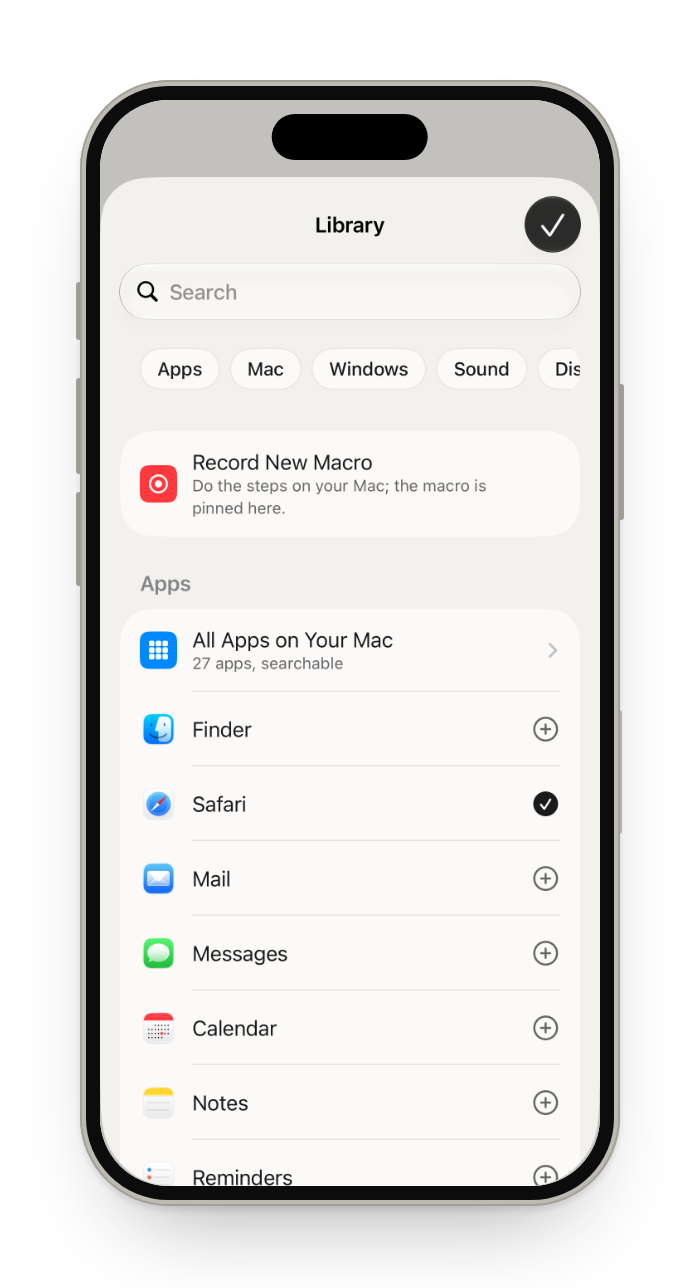
Glasspad turns your iPhone into a deck of buttons for your Mac, free. Its Actions mode shows buttons for the app in front, ready made for more than 70 apps, and below them your own: apps, websites, keyboard shortcuts, recorded macros, shortcuts from the Shortcuts app, and Mac controls like Do Not Disturb, Night Shift, Keep Awake and Split Screen. There are no key limits, ads or subscriptions, and it is open source (MIT). It has no physical keys and no plugins for tools like OBS, so for live streaming a Stream Deck is still the better fit.
Glasspad is free and open source (MIT). It works with a Mac on macOS 14 or later or a PC on Windows 10 or 11, 64-bit, and an iPhone on iOS 18 or later or an Android phone on Android 10 or later, on the same Wi-Fi.
Which iPhones work
Any iPhone that runs iOS 18: iPhone XS, XS Max, XR, iPhone SE (2nd generation) and every newer model. An old one in a drawer makes a good deck on a stand beside the keyboard. It needs Wi-Fi, not a SIM card, and you can leave it on the charger.
Not for streaming: Glasspad has no plugins for OBS, Twitch or other streaming tools. If you stream, a Stream Deck is the better fit. Glasspad vs Stream Deck Mobile.
What you get
Follows the app in front
Ready-made buttons for more than 70 apps.
Pin your own
Apps, websites with their logos, shortcuts and Mac controls.
Macros
Record steps on your Mac once, then replay them with a tap.
No key limits
Every button free, with no ads and no subscription.
How it works
Open Actions
Tap the mode button at the top of the screen, then Actions.
Add from the Library
Every app, Mac control, macro, shortcut and website, with search.
Make it yours
Touch and hold a button to change its name, symbol, color and size.
Questions
Is it really free?
Yes. Every feature, with no limit on pinned buttons, no ads and no subscription. The code is under the MIT License.
Can it run my Shortcuts?
Yes. Any shortcut from the Shortcuts app on your Mac can be a button.
Can a button press a keyboard shortcut?
Yes. Add a Keyboard Shortcut button and set the keys, such as Command-C, or a hotkey you set in another app.
Does it work with OBS or Twitch?
Only through keyboard shortcuts you set up in those apps. Glasspad has no streaming plugins; Stream Deck has many. Glasspad vs Stream Deck Mobile.
Does it work with Windows or Android?
Yes. Glasspad also works with a Windows PC and an Android phone, in any mix with a Mac and an iPhone. With a PC, the phone hides what only a Mac can do, such as Mac shortcuts.
Will an iPhone X or iPhone 8 work?
No. Glasspad needs iOS 18, which starts with the iPhone XS and XR.
Keep exploring
Sources
Checked on October 17, 2026.
Get Glasspad. It is free.
Glasspad is free and open source (MIT). It works with a Mac on macOS 14 or later or a PC on Windows 10 or 11, 64-bit, and an iPhone on iOS 18 or later or an Android phone on Android 10 or later, on the same Wi-Fi. On a Mac, paste this into Terminal:
curl -fsSL https://raw.githubusercontent.com/Soham109/glasspad/main/install.sh | bashThe script builds it with Xcode 26 or later and your free Apple ID, and waits for you where Apple needs a click. Windows and Android install from GitHub Releases. Every install step Help in the guide