
Remote
Your iPhone as a remote for your Mac
Netflix, YouTube and Spotify from the couch, like a Siri Remote.
In short
Glasspad's Remote mode turns your iPhone into a remote for whatever plays on your Mac, much like a Siri Remote: tap the pad to play or pause, swipe sideways to skip 10 seconds, and up or down for volume. Its buttons follow the player, such as Skip Intro on Netflix and Subtitles and Next on YouTube. It works with YouTube, Netflix, Prime Video, Disney+, Apple TV, QuickTime Player, IINA, VLC, Infuse, Spotify and Music. Glasspad is free and open source.
Glasspad is free and open source (MIT). It works with a Mac on macOS 14 or later or a PC on Windows 10 or 11, 64-bit, and an iPhone on iOS 18 or later or an Android phone on Android 10 or later, on the same Wi-Fi.
What it works with
Movies and shows: Remote
- YouTube, Netflix, Prime Video, Disney+ and Apple TV in Safari, Chrome, Firefox, Edge, Brave or Arc.
- QuickTime Player, IINA, VLC and Infuse.
- A pad like the Siri Remote, with buttons that follow the player.
Music and podcasts: Media
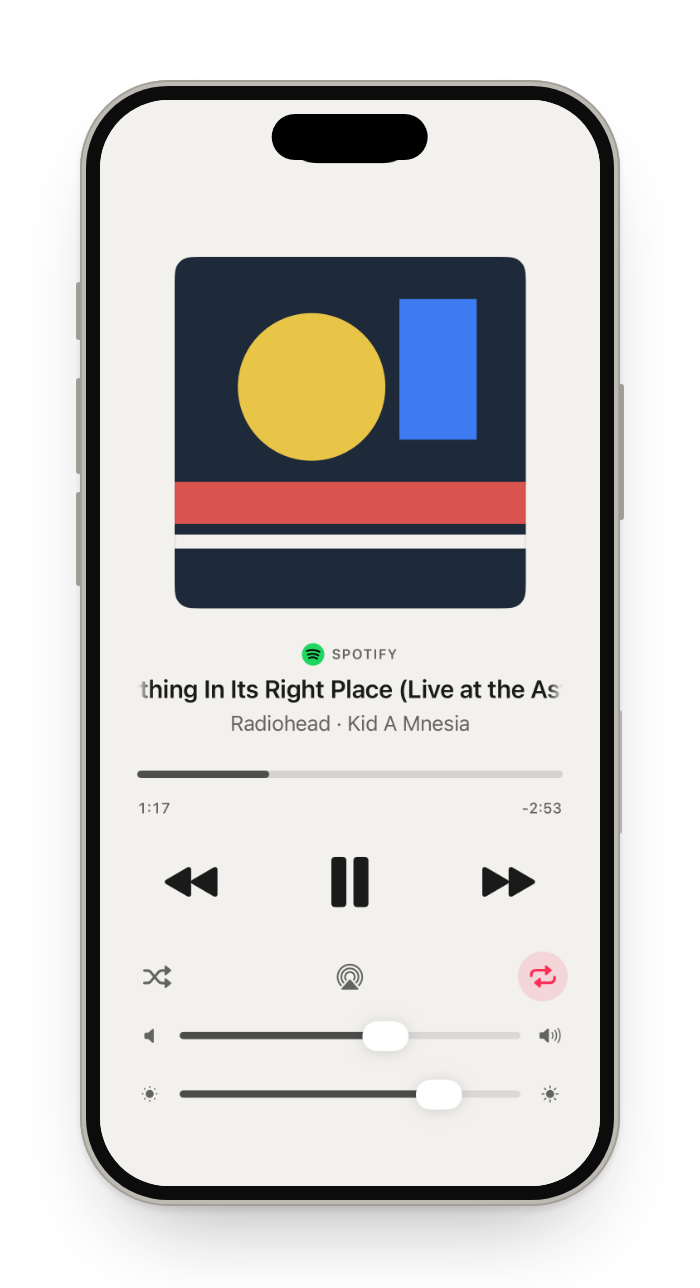
- Spotify, Music, Podcasts or a browser: the artwork, the song and a scrubber.
- Play, pause, next, previous, shuffle and repeat.
- The Mac's volume, its sound output, such as speakers or AirPods, and the screen's brightness.
What you get
A pad like the Siri Remote
Tap to pause. Swipe to skip 10 seconds, up or down for volume.
Buttons that follow the player
Skip Intro on Netflix, Subtitles and Next on YouTube.
Search from the couch
Search types on the Mac and presses Return.
Dark and dim
The screen stays dark, so it does not light up the room.
How it works
Open Remote
Tap the mode button at the top of the screen, then Remote.
Play anything
Netflix or YouTube in Safari, Chrome, Firefox, Edge, Brave or Arc, or a player app.
Sit back
The Couch layout puts Remote and a trackpad on one screen.
Questions
Does it work with Netflix in Safari or Chrome?
Yes. Netflix and YouTube on a Mac play in the browser, and Remote works in Safari, Chrome, Firefox, Edge, Brave and Arc.
Do I need an Apple TV?
No. The iPhone talks to the Mac directly over your Wi-Fi. Nothing else is needed.
Can I change the Mac's volume from the couch?
Yes. Swipe up or down on the pad, or use Media for the volume slider and the sound output.
Can I keep the trackpad close by?
Yes. The Couch layout puts Remote and a trackpad on one screen.
Can I control Spotify on my Mac from my iPhone?
Yes. Media plays, pauses, skips and scrubs the Spotify app on your Mac, and shows what it plays. It controls the app on the Mac itself, so it works whatever your Spotify plan.
Can I put the Mac's display to sleep from the couch?
Yes. Remote's More menu has Sleep Display, Do Not Disturb and the sound output.
Does it work with a MacBook plugged into a TV?
Yes. Remote controls whatever plays on the Mac, on any display, and the Mac's volume, which is the TV's sound when the TV is the sound output.
Keep exploring
Get Glasspad. It is free.
Glasspad is free and open source (MIT). It works with a Mac on macOS 14 or later or a PC on Windows 10 or 11, 64-bit, and an iPhone on iOS 18 or later or an Android phone on Android 10 or later, on the same Wi-Fi. On a Mac, paste this into Terminal:
curl -fsSL https://raw.githubusercontent.com/Soham109/glasspad/main/install.sh | bashThe script builds it with Xcode 26 or later and your free Apple ID, and waits for you where Apple needs a click. Windows and Android install from GitHub Releases. Every install step Help in the guide